| Ver tema anterior :: Ver tema siguiente |
| Autor |
Mensaje |
Orio 
Registrado: 24 Feb 2007
Mensajes: 29545
Ubicación: West Emilia
Expire: 2012-12-04
|
|
| Volver arriba |
|
 |
scsambrook

Registrado: 29 Mar 2009
Mensajes: 2167
Ubicación: Glasgow Scotland
Expire: 2011-11-18
|
 Publicado: Mié Mar 23, 2011 9:16 am Asunto: |
|
Publicado: Mié Mar 23, 2011 9:16 am Asunto: |
|
|
scsambrook wrote:
Nice shots, Orio, and I do envy you with your M9 (just a little). Well, quite a lot, actually 
I don't think parallax is your problem in losing parts of the image at close range, it's more likely to be Leica Camera's somwhat odd ideas about frame-line coverage. On the M8.2 and M9 you get less than you see at close range, more than you see at long range, and something like what's in the frame-lines at (I think) around 5 metres. I have an original M8 where the frame-lines are pretty much correct at around 1 metre and then increasingly inaccurate as the subject distance increases. At infinity the difference is quite considerable.
I don't recall ever having had major framing problems with M2, although I suppose the coverage must vary as distance changes, whatever the distance chosen for greatest accuracy.
_________________
Stephen
Equipment: Pentax DSLR for casual shooting, Lumix G1 and Fuji XE-1 for playing with old lenses, and Leica M8 because I still like the optical rangefinder system. |
|
| Volver arriba |
|
|
rbelyell


Registrado: 13 Oct 2009
Mensajes: 4269
Ubicación: somewhere in the mountains of central NY
Expire: 2014-01-31
|
Publicado: Mié Mar 23, 2011 1:05 pm Asunto: |
|
Publicado: Mié Mar 23, 2011 1:05 pm Asunto: |
|
|
rbelyell wrote:
i really ilke this kind of informal shooting, and these are very sharp.
i recall when you first received the m9 you posted that the unaltered images carried a green cast. may i ask if this is still true and you pp out the cast or if there was some in camera adjustment you made to eliminate it?
_________________
Epson RD1 + Elmarit 21/2.8; Summarit 50/1.5; Summarit 75/2.5; Elmar-c 90/4; Sankyo Komura 135/2.8, Hektor 135/4.5; Braun Paxina 29 6x6; Photax Boyer Paris; Holga 120 Pano
GREAT STUFF FOR SALE:
Contax T
Hasselblad XPan + 45/4, 90/4
Kodak Retina Reflex IV + full set of Schneider Krueznach lenses
Mercury 2 half frame 35mm
Kodak Pro slr/n
Fuji GM670+100/3.5+65/8!
Praktisix 6x6 medium format + ZeissBiometar 120/2.8
Bessa T 101 Anniversary Edition in Navy Blue
Mamiya Six Folder with Zuiko 75/3.5
Adaptall: Tamron SP 28-85 macro
Cameras: Canon IX
PM for more complete descriptions/pix. All in great shape!
_________________________
'buy me a drink, sing me a song,
take me as i come 'cause i can't stay long' |
|
| Volver arriba |
|
|
poilu
Registrado: 26 Ago 2007
Mensajes: 10476
Ubicación: Greece
Expire: 2019-08-29
|
Publicado: Mié Mar 23, 2011 2:19 pm Asunto: |
|
Publicado: Mié Mar 23, 2011 2:19 pm Asunto: |
|
|
poilu wrote:
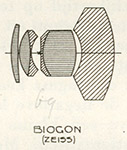
great funny portrait, this biogon is so damn good !
_________________
T* |
|
| Volver arriba |
|
|
Orio
Registrado: 24 Feb 2007
Mensajes: 29545
Ubicación: West Emilia
Expire: 2012-12-04
|
Publicado: Mié Mar 23, 2011 4:12 pm Asunto: |
|
Publicado: Mié Mar 23, 2011 4:12 pm Asunto: |
|
|
Orio wrote:
| rbelyell escribió: |
i recall when you first received the m9 you posted that the unaltered images carried a green cast. may i ask if this is still true and you pp out the cast or if there was some in camera adjustment you made to eliminate it? |
Yes, I had that problem. The situation improved after I bought the Biogon (I first only had the Jupiter-8 which gave the images a yellowish tint). But I finally solved the problem when I bought the Color Checker Passport tool. I created my custom colour profiles with it, and now my M9 photos are fully consistent colour-wise with the photos I take with the 5DMkII, as you can see in my last Carnival series.
_________________
Orio, Administrator
T*
NE CEDE MALIS AUDENTIOR ITO
Ferrania film is reborn! http://www.filmferrania.it/
Support the Ornano film chemicals company and help them survive!
http://forum.mflenses.com/ornano-chemical-products-t55525.html |
|
| Volver arriba |
|
|
rbelyell
Registrado: 13 Oct 2009
Mensajes: 4269
Ubicación: somewhere in the mountains of central NY
Expire: 2014-01-31
|
Publicado: Mié Mar 23, 2011 5:18 pm Asunto: |
|
Publicado: Mié Mar 23, 2011 5:18 pm Asunto: |
|
|
rbelyell wrote:
thats good to hear and im sure a reief to you as well. is the color checker a leica specific tool?
_________________
Epson RD1 + Elmarit 21/2.8; Summarit 50/1.5; Summarit 75/2.5; Elmar-c 90/4; Sankyo Komura 135/2.8, Hektor 135/4.5; Braun Paxina 29 6x6; Photax Boyer Paris; Holga 120 Pano
GREAT STUFF FOR SALE:
Contax T
Hasselblad XPan + 45/4, 90/4
Kodak Retina Reflex IV + full set of Schneider Krueznach lenses
Mercury 2 half frame 35mm
Kodak Pro slr/n
Fuji GM670+100/3.5+65/8!
Praktisix 6x6 medium format + ZeissBiometar 120/2.8
Bessa T 101 Anniversary Edition in Navy Blue
Mamiya Six Folder with Zuiko 75/3.5
Adaptall: Tamron SP 28-85 macro
Cameras: Canon IX
PM for more complete descriptions/pix. All in great shape!
_________________________
'buy me a drink, sing me a song,
take me as i come 'cause i can't stay long' |
|
| Volver arriba |
|
|
Hari

Registrado: 29 Nov 2009
Mensajes: 1790
Expire: 2015-05-27
|
Publicado: Mié Mar 23, 2011 5:32 pm Asunto: Re: Famliy snaps with M9 and Biogon 2/35 |
|
Publicado: Mié Mar 23, 2011 5:32 pm Asunto: Re: Famliy snaps with M9 and Biogon 2/35 |
|
|
Hari wrote:
brilliant shots, Orio!
did you try using a viewfinder magnifier to help focus better in strong backlight situations? maybe a polfilter could have also helped in this case?
_________________
Analogue Rangefinders: Leica M5, Leica M6 Titanium classic 0.72, Leica M7 0.58, Leica M7 0.85
Digital Rangefinder: Leica M9, Leica Monochrom, Leica M240
SLR: Leica R3 electronic, Canon AE1P
DSLR: Canon 5D MK2
M mount Lenses: Super-Wide Heliar 15/f4.5 ASPH. + Leica 24/f3.8 ASPH + Leica 28/f2 ASPH. + Leica 35/f1.4 ASPH. FLE + Leica Noctilux 50/f0.95 + Leica Noctilux 50/f1 + Canon 50/f1.2 LTM + Leica 50/f1.4 ASPH. + Leica 50/f1.5 + Zeiss ZM Sonnar 50/f1.5 + Leica APO Summicron 50/f2 + Leica Summitar 50/f2 + Leica Rigid Summicron 50/f2 + Zeiss ZM Planar 50/f2 + Leica 50/f2.8 E39 + Leica 75/f1.4 + Leica APO 75/f2 ASPH. + Voigtlander 75/f2.5 + Leica Summarex 85/f1.5 + Leica APO 90/f2 ASPH. + Leica 90/f2 E55 + Leica 90/f2.8 + Leica APO 135/f3.4
Leica R mount Lenses: Leica-R 60/2.8 E55 + Leica-R 80/1.4 E67 + Leica-R 180/4
EF mount Lenses: Canon 50/1.8 II
M42 mount Lenses: Too many
My pictures: http://www.flickr.com/photos/dementedjesus/ |
|
| Volver arriba |
|
|
Orio
Registrado: 24 Feb 2007
Mensajes: 29545
Ubicación: West Emilia
Expire: 2012-12-04
|
Publicado: Mié Mar 23, 2011 5:35 pm Asunto: |
|
Publicado: Mié Mar 23, 2011 5:35 pm Asunto: |
|
|
Orio wrote:
| rbelyell escribió: |
| thats good to hear and im sure a reief to you as well. |
Yes, well, not that there was anything that I couldn't fix with fine tuning the white balance, but have the tuning embedded in a colour profile is much more convenient. Besides, I can make different profiles for different situations (afternoon, morning, evening, cloudy, studio, etc)
| rbelyell escribió: |
| is the color checker a leica specific tool? |
No, it's a colour checker board that comes with an application that automatically creates colour profiles to be used inside Adobe applications (Lightroom, Camera Raw, Photoshop). You can of course manually create profiles for other applications if you are able to do it. With Lightroom it's very simple, you take a photo of the checker board at the beginning of a session, then once in lightroom, you select that photo and start the application plugin, which automatically creates a profile based on the photographed board, and places it in the folder of the profiles. You then leave and restart Lightroom, and find the new profile as a choice, together with the already existing profiles.
_________________
Orio, Administrator
T*
NE CEDE MALIS AUDENTIOR ITO
Ferrania film is reborn! http://www.filmferrania.it/
Support the Ornano film chemicals company and help them survive!
http://forum.mflenses.com/ornano-chemical-products-t55525.html |
|
| Volver arriba |
|
|
Orio
Registrado: 24 Feb 2007
Mensajes: 29545
Ubicación: West Emilia
Expire: 2012-12-04
|
Publicado: Mié Mar 23, 2011 5:39 pm Asunto: Re: Famliy snaps with M9 and Biogon 2/35 |
|
Publicado: Mié Mar 23, 2011 5:39 pm Asunto: Re: Famliy snaps with M9 and Biogon 2/35 |
|
|
Orio wrote:
| Hari escribió: |
did you try using a viewfinder magnifier to help focus better in strong backlight situations? maybe a polfilter could have also helped in this case? |
The problem is that strong backlight in the rangefinder window means that the ghost image is very faint. With still subject one could make it work, but with ever moving subjects, in the time you use to localize the ghost image, you have to refocus...
Polarizer? That would be awkward to hold one in front of the rangefinder window - provided that it would serve at all (which I have no idea of).
_________________
Orio, Administrator
T*
NE CEDE MALIS AUDENTIOR ITO
Ferrania film is reborn! http://www.filmferrania.it/
Support the Ornano film chemicals company and help them survive!
http://forum.mflenses.com/ornano-chemical-products-t55525.html |
|
| Volver arriba |
|
|
Hari
Registrado: 29 Nov 2009
Mensajes: 1790
Expire: 2015-05-27
|
Publicado: Mié Mar 23, 2011 6:03 pm Asunto: Re: Famliy snaps with M9 and Biogon 2/35 |
|
Publicado: Mié Mar 23, 2011 6:03 pm Asunto: Re: Famliy snaps with M9 and Biogon 2/35 |
|
|
Hari wrote:
| Orio escribió: |
| Hari escribió: |
did you try using a viewfinder magnifier to help focus better in strong backlight situations? maybe a polfilter could have also helped in this case? |
The problem is that strong backlight in the rangefinder window means that the ghost image is very faint. With still subject one could make it work, but with ever moving subjects, in the time you use to localize the ghost image, you have to refocus...
Polarizer? That would be awkward to hold one in front of the rangefinder window - provided that it would serve at all (which I have no idea of). |
Yeah ... sometimes it is a pita to see the rf window ... also when shooting horizontally - maybe i have this problem even stronger because i wear glasses
wrt the polfilter - i meant the usual screw-on polfilter in front of the lens to reduce the impact of the strong backlight ... i love shooting against the light and a polfilter helps
Btw, do you also use CaptureOne to process your M9 files?
_________________
Analogue Rangefinders: Leica M5, Leica M6 Titanium classic 0.72, Leica M7 0.58, Leica M7 0.85
Digital Rangefinder: Leica M9, Leica Monochrom, Leica M240
SLR: Leica R3 electronic, Canon AE1P
DSLR: Canon 5D MK2
M mount Lenses: Super-Wide Heliar 15/f4.5 ASPH. + Leica 24/f3.8 ASPH + Leica 28/f2 ASPH. + Leica 35/f1.4 ASPH. FLE + Leica Noctilux 50/f0.95 + Leica Noctilux 50/f1 + Canon 50/f1.2 LTM + Leica 50/f1.4 ASPH. + Leica 50/f1.5 + Zeiss ZM Sonnar 50/f1.5 + Leica APO Summicron 50/f2 + Leica Summitar 50/f2 + Leica Rigid Summicron 50/f2 + Zeiss ZM Planar 50/f2 + Leica 50/f2.8 E39 + Leica 75/f1.4 + Leica APO 75/f2 ASPH. + Voigtlander 75/f2.5 + Leica Summarex 85/f1.5 + Leica APO 90/f2 ASPH. + Leica 90/f2 E55 + Leica 90/f2.8 + Leica APO 135/f3.4
Leica R mount Lenses: Leica-R 60/2.8 E55 + Leica-R 80/1.4 E67 + Leica-R 180/4
EF mount Lenses: Canon 50/1.8 II
M42 mount Lenses: Too many
My pictures: http://www.flickr.com/photos/dementedjesus/ |
|
| Volver arriba |
|
|
rbelyell
Registrado: 13 Oct 2009
Mensajes: 4269
Ubicación: somewhere in the mountains of central NY
Expire: 2014-01-31
|
Publicado: Mié Mar 23, 2011 6:11 pm Asunto: |
|
Publicado: Mié Mar 23, 2011 6:11 pm Asunto: |
|
|
rbelyell wrote:
thank you for explaining--i use lightroom and think i should try it.
_________________
Epson RD1 + Elmarit 21/2.8; Summarit 50/1.5; Summarit 75/2.5; Elmar-c 90/4; Sankyo Komura 135/2.8, Hektor 135/4.5; Braun Paxina 29 6x6; Photax Boyer Paris; Holga 120 Pano
GREAT STUFF FOR SALE:
Contax T
Hasselblad XPan + 45/4, 90/4
Kodak Retina Reflex IV + full set of Schneider Krueznach lenses
Mercury 2 half frame 35mm
Kodak Pro slr/n
Fuji GM670+100/3.5+65/8!
Praktisix 6x6 medium format + ZeissBiometar 120/2.8
Bessa T 101 Anniversary Edition in Navy Blue
Mamiya Six Folder with Zuiko 75/3.5
Adaptall: Tamron SP 28-85 macro
Cameras: Canon IX
PM for more complete descriptions/pix. All in great shape!
_________________________
'buy me a drink, sing me a song,
take me as i come 'cause i can't stay long' |
|
| Volver arriba |
|
|
Orio
Registrado: 24 Feb 2007
Mensajes: 29545
Ubicación: West Emilia
Expire: 2012-12-04
|
Publicado: Mié Mar 23, 2011 6:38 pm Asunto: Re: Famliy snaps with M9 and Biogon 2/35 |
|
Publicado: Mié Mar 23, 2011 6:38 pm Asunto: Re: Famliy snaps with M9 and Biogon 2/35 |
|
|
Orio wrote:
| Hari escribió: |
wrt the polfilter - i meant the usual screw-on polfilter in front of the lens to reduce the impact of the strong backlight ... i love shooting against the light and a polfilter helps |
But difficult to set with a RF camera... polarizers are really for SLR
| Hari escribió: |
| Btw, do you also use CaptureOne to process your M9 files? |
Occasionally. I have the licence because I bought it long ago and I always upgraded it out of curiosity. But I would never buy it new, except for a couple of features (focus area check, Moire filter), Lightroom is superior.
_________________
Orio, Administrator
T*
NE CEDE MALIS AUDENTIOR ITO
Ferrania film is reborn! http://www.filmferrania.it/
Support the Ornano film chemicals company and help them survive!
http://forum.mflenses.com/ornano-chemical-products-t55525.html |
|
| Volver arriba |
|
|
Orio
Registrado: 24 Feb 2007
Mensajes: 29545
Ubicación: West Emilia
Expire: 2012-12-04
|
Publicado: Mié Mar 23, 2011 6:40 pm Asunto: |
|
Publicado: Mié Mar 23, 2011 6:40 pm Asunto: |
|
|
Orio wrote:
| rbelyell escribió: |
| thank you for explaining--i use lightroom and think i should try it. |
It's very useful especially in those mixed lights situation (studio with different light sources), or, like in the case of M9, when the embedded camera profile is not optimal.
_________________
Orio, Administrator
T*
NE CEDE MALIS AUDENTIOR ITO
Ferrania film is reborn! http://www.filmferrania.it/
Support the Ornano film chemicals company and help them survive!
http://forum.mflenses.com/ornano-chemical-products-t55525.html |
|
| Volver arriba |
|
|
|
|
|
No puedes publicar temas nuevos en este foro
No puedes responder a temas en este foro
No puedes editar tus mensajes en este foro
No puedes borrar tus mensajes en este foro
No puedes votar en las encuestas de este foro
|
 Español
 中文
 Magyar
 Русский
 Deutsch
 日本語
 Français