| Ver tema anterior :: Ver tema siguiente |
| Autor |
Mensaje |
Attila 


Registrado: 24 Feb 2007
Mensajes: 58002
Expire: 2025-11-18
|
 Publicado: Sáb Ene 17, 2009 8:57 pm Asunto: Colors in B&W |
|
Publicado: Sáb Ene 17, 2009 8:57 pm Asunto: Colors in B&W |
|
|
Attila wrote:

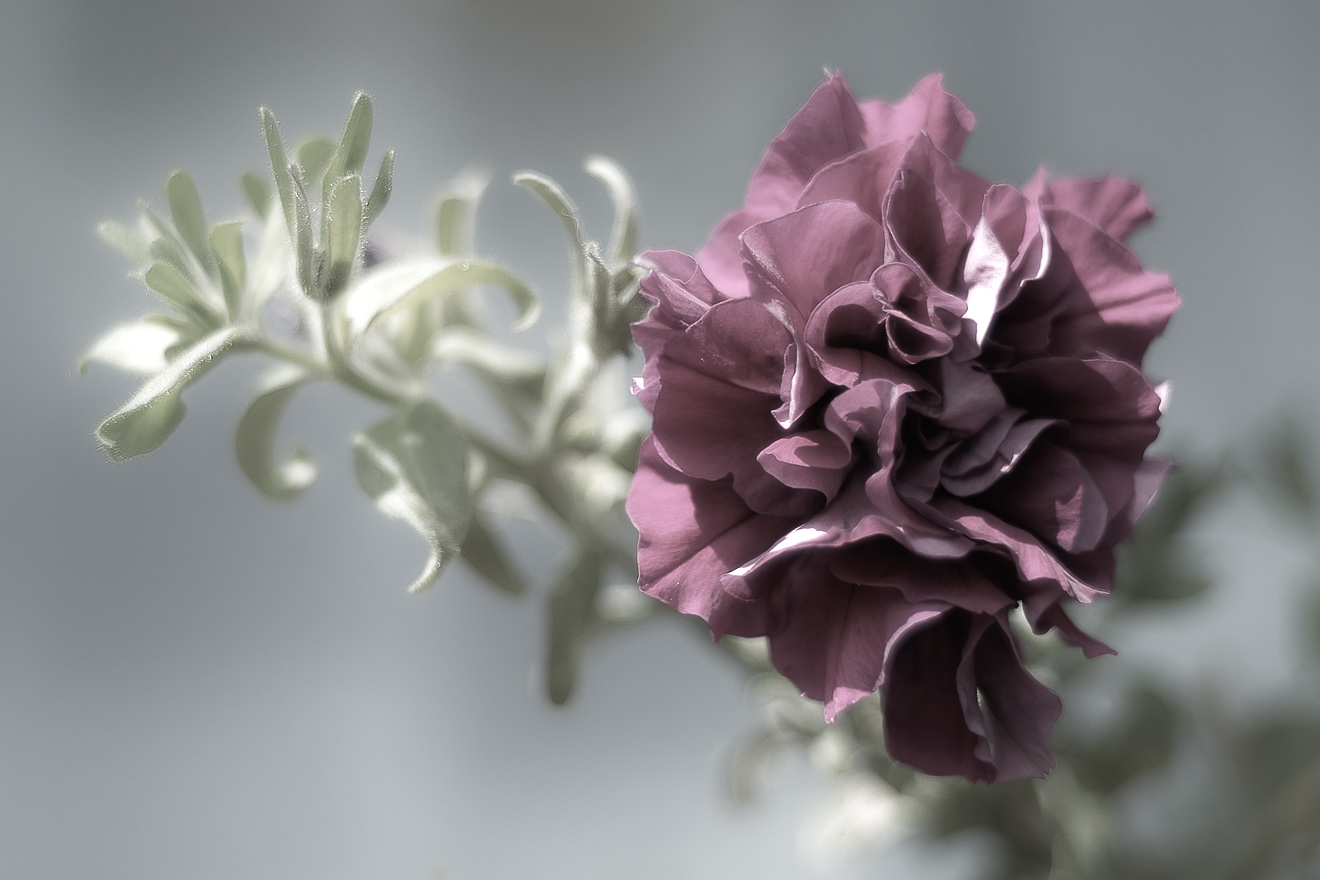
I love really this solution, better than simple B&W portrait. |
|
| Volver arriba |
|
 |
martinsmith99

Registrado: 31 Ago 2008
Mensajes: 7029
Ubicación: S Glos, UK
Expire: 2013-11-18
|
Publicado: Vie Ene 23, 2009 7:35 am Asunto: |
|
Publicado: Vie Ene 23, 2009 7:35 am Asunto: |
|
|
martinsmith99 wrote:
Nice shot!
Yes, I've done similar, then took it a little further with this shot of my favourite model, Lucy (that's her eye in my avatar). It's far from perfect, but an experiment. I have overdone the eyes and need to revisit it when time permits.

_________________
Casual attendance these days |
|
| Volver arriba |
|
|
Attila
Registrado: 24 Feb 2007
Mensajes: 58002
Expire: 2025-11-18
|
Publicado: Vie Ene 23, 2009 8:32 am Asunto: |
|
Publicado: Vie Ene 23, 2009 8:32 am Asunto: |
|
|
Attila wrote:
Overdone eyes is no problem in this style I think. |
|
| Volver arriba |
|
|
estudleon

Registrado: 15 Mayo 2008
Mensajes: 3754
Ubicación: Argentina
|
Publicado: Vie Ene 23, 2009 2:02 pm Asunto: |
|
Publicado: Vie Ene 23, 2009 2:02 pm Asunto: |
|
|
estudleon wrote:
Very nice way.
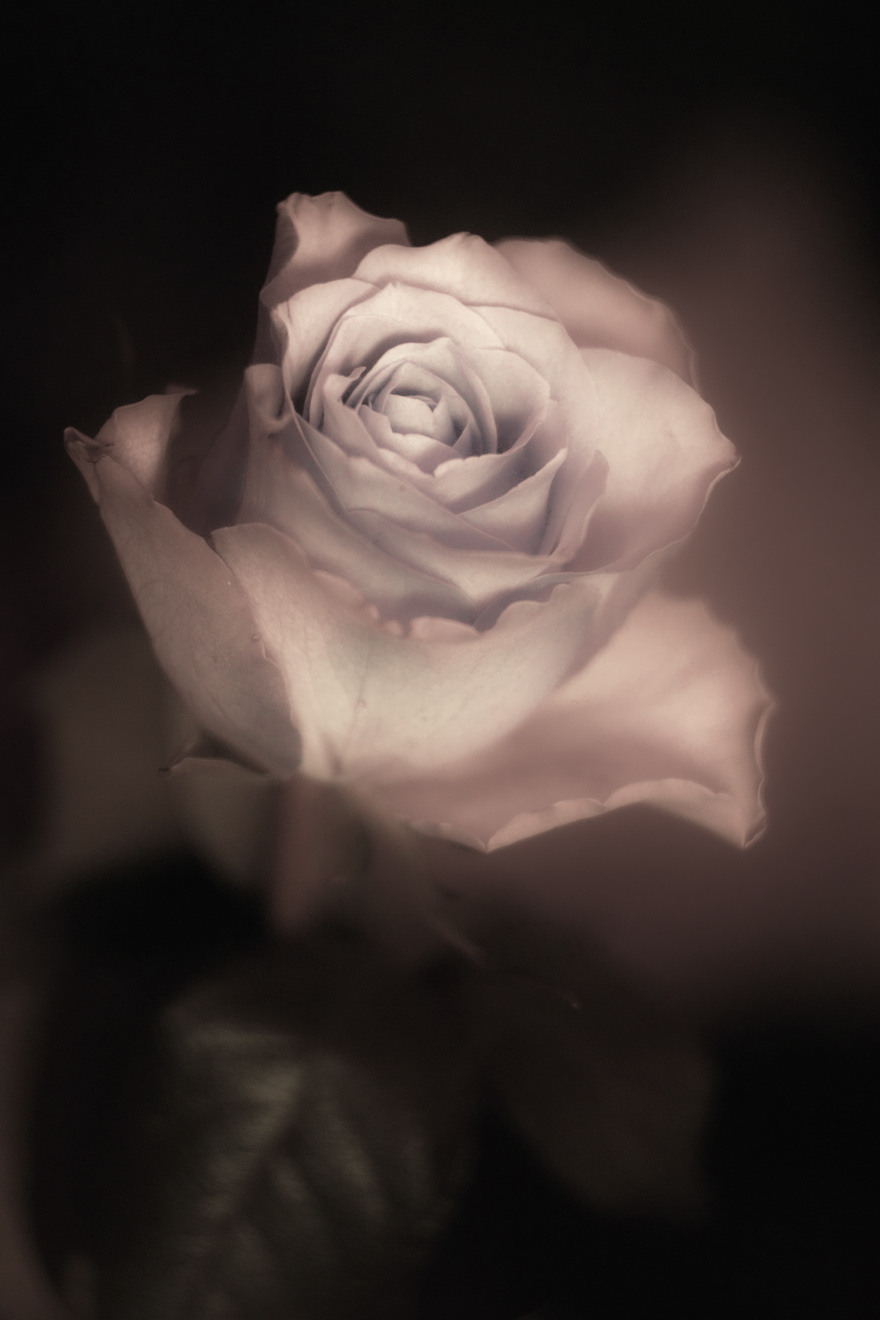
The pics remind me the olds pics that the parks photogtaphers took in B&W and retouched with pastels colors. Lovely.
The actualls are better, of course.
Rino.
_________________
Konica 2,8/100
CZJ: 4/20, 2,4/35, 1,8/50 aus jena, 3,5/135MC, Pentacon 1,8/50
Pentax S-M-C-1,4/50
Helios 44-3
Mamiya 2,8/135
Misc. : jupiter 9
Stuff used:
A) SRL
Alpa 10 D - kern macro Switar 1,9/50 -black, Kilffit apochromat 2/100.
Asahi pentax spotmatic super takumar 1,4/50
Contaflex super B tessar 2,8/50 Pro-tessar 115
Leica R3 electronic summicron 2/50 elmarit 2,8/35
Konica Autoreflex 3 (2 black and chrome one), TC, T4. 2,8/24, 3,5/28 not MC and MC, 1,8/40, 1,4/50, 1,7/50 MC and not MC, 1,8/85, 3,2/135, 3,5/135, 4/200
Minolta XG9 2,8/35, 2/45, 3,5/135
Nikkormat FTn 1,4/50, 2,8/135
Fujica ST 801, 605, 705n. 3,5/19, 1,4/50, 1,8/55, 4/85, 3,5/135.
Praktica MTL 5 and a lot of M42 lenses.
Voigtlander. Bessamatic m, bessamatix de luxe, bessamatic cs, ultramatic and ultramatic cs.
Skoparex 3,5/35, skopagon 2/40, skopar 2,8/50, skopar X 2,8/50, super lanthar (out of catalogue) 2,8/50, dinarex 3,4/90, dinarex 4,8/100, super dinarex 4/135, super dinarex 4/200, zoomar 2,8/36-83, portrait lens 0, 1 and 2. Curtagon 4/28 and 2,8/35
Canon AV1, 1,8/50
Rolleiflex SL35 and SL35 E. 2,8/35 angulon, 2,8/35 distagon, 1,4/55 rolleinar, 1,8/50 planar, 4/135 tessar, 2,8/135 rolleinar, x2 rollei, M42 to rollei adap.
Etc.
RF
Yashica Minister III
Voightlander Vito, vitomatic I, Vito C, etc.
Leica M. M2, M3 (d.s.) and M4. Schenider 3,4/21, 2/35 summaron 2,8/35 (with eyes). Summicron 2/35 (8 elements with eyes), 2/35 chrome, 2/35 black, 1,4/35 pre asph and aspheric - old -, 2/40 summicron, 2,8/50 elmar, 2/50 7 elements, 2/50 DR, 2/50 - minolta version, 1,4/50 summilux 1966 version, 1,4/75 summilux, 2/90 large version, 2/90 reduced version of 1987, 2,8/90 elmarit large version, 4/135 elmar. |
|
| Volver arriba |
|
|
kansalliskala

Registrado: 19 Jul 2007
Mensajes: 5122
Ubicación: Southern Finland countryside
Expire: 2016-12-30
|
Publicado: Sáb Ene 24, 2009 12:07 pm Asunto: |
|
Publicado: Sáb Ene 24, 2009 12:07 pm Asunto: |
|
|
kansalliskala wrote:
Agfa 400 + Porst TL + Polaris Zoom

_________________
MF: Kodak DCS SLR/c; Samsung NX10; OM-10; Canon T50
Zuiko 28/3.5, Distagon 35/2.8; Yashica ML 50/2;
Zuiko 50/1.4; S-M-C 120/2.8; Zuiko 135/3.5; 200/5;
Tamron AD1 135/2.8, Soligor 180/3.5; Tamron AD1 300/5.6
Tamron zooms: 01A, Z-210
Yashicaflex C; Київ 4 + Юпитер 8, 11; Polaroid 100; Olympus XA; Yashica T3
Museum stuff: Certo-Phot; Tele-Edixon 135; Polaris 90-190; Asahi Bellows; Ixus IIs
Projects: Agfa Isolette III (no shutter), Canon AE-1D (no sensor),
Nikon D80 (dead), The "Peace Camera"
AF: Canon, Tokina, Sigma Video: JVC GZ-MG275E |
|
| Volver arriba |
|
|
Jieffe


Registrado: 04 Nov 2007
Mensajes: 754
Ubicación: Belgium
|
Publicado: Sáb Ene 24, 2009 1:05 pm Asunto: |
|
Publicado: Sáb Ene 24, 2009 1:05 pm Asunto: |
|
|
Jieffe wrote:
Same here ...

(Tamron 90mm) |
|
| Volver arriba |
|
|
themoleman342

Registrado: 21 Oct 2007
Mensajes: 2190
Ubicación: East Coast (CT), U.S.A.
Expire: 2013-01-24
|
Publicado: Vie Ene 30, 2009 6:21 pm Asunto: |
|
Publicado: Vie Ene 30, 2009 6:21 pm Asunto: |
|
|
themoleman342 wrote:
I was never much for this effect. It always seemed to be a cliche way of bringing emphasis to a particular point of the photo while this should be done with focus, contrast, and composition. I certainly don't mean to insult these photographs, in fact they are quite nice, I only think their effectiveness should not be determined by some software based feature. |
|
| Volver arriba |
|
|
Attila
Registrado: 24 Feb 2007
Mensajes: 58002
Expire: 2025-11-18
|
Publicado: Vie Ene 30, 2009 6:35 pm Asunto: |
|
Publicado: Vie Ene 30, 2009 6:35 pm Asunto: |
|
|
Attila wrote:
Nice ones! I like all of them. |
|
| Volver arriba |
|
|
indianadinos

Registrado: 06 Jul 2008
Mensajes: 1310
Ubicación: Toulouse, France
Expire: 2011-12-05
|
Publicado: Vie Ene 30, 2009 9:06 pm Asunto: |
|
Publicado: Vie Ene 30, 2009 9:06 pm Asunto: |
|
|
indianadinos wrote:
Hello,
My contribution to this excellent thread ...

Just a question: how did you processed your pictures to get these results ? For mine i used GIMP, converting the original image in B+W, then adding a layer with the water drops cut out from the original picture ... Did you use another way to achieve this ?
Best regards
_________________
Please visit my blogs Shooting with a Pentax K10D / FF Visions
Takumar: 24/3.5, 28/3.5, 35/2, 35/3.5, 50/1.4, 55/1.8, 85/1.8, 105/2.8, 120/2.8, 135/3.5, 150/4, 200/4
Pentax-K: M28/2.8, K28/3.5, M50/1.4, A50/1.7, M50/4 Macro, K85/1.8, K105/2.8, K135/2.5, M200/4, M70-150/4
Zeiss: Flektogon 20/2.8, 20/4, 35/2.4, 35/2.8, Tessar 50/2.8, Pancolar 50/1.8, Biotar 58/2, Sonnar 135/3.5, Sonnar 180/2.8
Meyer: Primagon 35/4.5, Domiplan 50/2.8, Oreston 50/1.8, Primoplan 58/1.9, Trioplan 100/2.8, Orestor 100/2.8, Orestor 135/2.8
Schacht/Steinheil: Travenar 90/2.8, Travenon 135/4.5, Quinar 135/2.8, Quinar 135/3.5
Russian: MIR 37B, Industar 50/3.5, Helios 44M & 44M-2, Jupiter 37A
P6: Flektogon 50/4, Biometar 80/2.8, Orestor 300/4
Nikkor: Nikkor-O 35/2, Micro 55/3.5, Nikkor-S 50/1.4, Nikkor-Q 135/2.8
Fuji: EBC 28/3.5, EBC 55/3.5 Macro, EBC 135/2.5
Misc Lenses: Kiron 105/2.8 Macro, Tamron SP90/2.5
... and a few other Vivitar, Tamron, Sigma and Soligor lenses ...
|
|
| Volver arriba |
|
|
Attila
Registrado: 24 Feb 2007
Mensajes: 58002
Expire: 2025-11-18
|
Publicado: Vie Ene 30, 2009 9:49 pm Asunto: |
|
Publicado: Vie Ene 30, 2009 9:49 pm Asunto: |
|
|
Attila wrote:
Wow! Excellent!! |
|
| Volver arriba |
|
|
Orio

Registrado: 24 Feb 2007
Mensajes: 29545
Ubicación: West Emilia
Expire: 2012-12-04
|
Publicado: Vie Ene 30, 2009 11:18 pm Asunto: |
|
Publicado: Vie Ene 30, 2009 11:18 pm Asunto: |
|
|
Orio wrote:
| themoleman342 escribió: |
| I was never much for this effect. It always seemed to be a cliche way of bringing emphasis to a particular point of the photo while this should be done with focus, contrast, and composition. |
Agreed.
_________________
Orio, Administrator
T*
NE CEDE MALIS AUDENTIOR ITO
Ferrania film is reborn! http://www.filmferrania.it/
Support the Ornano film chemicals company and help them survive!
http://forum.mflenses.com/ornano-chemical-products-t55525.html |
|
| Volver arriba |
|
|
ChrisLilley

Registrado: 01 Ene 2008
Mensajes: 1767
Ubicación: Nice, France
|
Publicado: Sáb Ene 31, 2009 1:37 pm Asunto: |
|
Publicado: Sáb Ene 31, 2009 1:37 pm Asunto: |
|
|
ChrisLilley wrote:
I think that the effect can look good if done well. The ones that I have seen in the past mostly used muted, subtle colours so that the 'collage' effect was avoided.
_________________
Camera (ˈkæ mə rə), n. Device for taking pictures in bright light
There are 10 kinds of people in the world: those who understand binary, and those who don’t. Key: Ai-P, Ai, Ai'ed, AiS
Camera: Nikon D90, D40, DK-21M eyepiece, ML-3 remote MF lenses: Nikkor 20mm f/4 K, AI'ed | N.K. Nikkor-N 24mm f/2.8 | Nikkor-N.C 24mm f/2.8 | Nikkor 28mm f/2.8 AiS late model | Арсенал (Arsenal) Мир-24Н (Mir-24N) 35mm f/2 | Cosina Voigtländer Ultron SL II 40mm f/2.0 | Micro-Nikkor 55mm f/2.8 AiS | Zoom-Nikkor 80-200 f/4.5 Ai | ЛЗОС (LZOS) Юпитер-9 (Jupiter-9) 85mm f/2 | Cosina Voigtländer APO-Lanthar 90mm f/3.5 SL | Nikkor-P 105mm f/2.5 pre-Ai, Ai'ed | Micro-Nikkor 105mm f/4 | Schneider Kreuznach Componon 105mm f/5.6 | Nikkor 135mm f/2.8, Ai'ed 1976 model | Nikkor 180mm f/2.8 ED AiS | Арсенал (Arsenal) ТЕЛЕАР-Н (Telear-n) 200mm f/3.5 | Nikkor 300 mm f/4.5 Ai (full equipment list) |
|
| Volver arriba |
|
|
martinsmith99
Registrado: 31 Ago 2008
Mensajes: 7029
Ubicación: S Glos, UK
Expire: 2013-11-18
|
Publicado: Lun Feb 02, 2009 6:37 pm Asunto: |
|
Publicado: Lun Feb 02, 2009 6:37 pm Asunto: |
|
|
martinsmith99 wrote:
| indianadinos escribió: |
Just a question: how did you processed your pictures to get these results ? For mine i used GIMP, converting the original image in B+W, then adding a layer with the water drops cut out from the original picture ... Did you use another way to achieve this ? |
I used Photoshop.
My workflow was to convert the image to B+W whichever way suits, then add a hue & saturation layer for each colour and use layer masks to get colour where I needed it.
_________________
Casual attendance these days |
|
| Volver arriba |
|
|
kansalliskala
Registrado: 19 Jul 2007
Mensajes: 5122
Ubicación: Southern Finland countryside
Expire: 2016-12-30
|
Publicado: Mar Feb 03, 2009 9:29 am Asunto: |
|
Publicado: Mar Feb 03, 2009 9:29 am Asunto: |
|
|
kansalliskala wrote:
| indianadinos escribió: |
Hello,
Just a question: how did you processed your pictures to get these results ? For mine i used GIMP, converting the original image in B+W, then adding a layer with the water drops cut out from the original picture ... Did you use another way to achieve this ?
Best regards |
I scanned a b&w negative, then selected the text, made it lighter and added saturation. Then I chose the right hue that it supposed to be.
_________________
MF: Kodak DCS SLR/c; Samsung NX10; OM-10; Canon T50
Zuiko 28/3.5, Distagon 35/2.8; Yashica ML 50/2;
Zuiko 50/1.4; S-M-C 120/2.8; Zuiko 135/3.5; 200/5;
Tamron AD1 135/2.8, Soligor 180/3.5; Tamron AD1 300/5.6
Tamron zooms: 01A, Z-210
Yashicaflex C; Київ 4 + Юпитер 8, 11; Polaroid 100; Olympus XA; Yashica T3
Museum stuff: Certo-Phot; Tele-Edixon 135; Polaris 90-190; Asahi Bellows; Ixus IIs
Projects: Agfa Isolette III (no shutter), Canon AE-1D (no sensor),
Nikon D80 (dead), The "Peace Camera"
AF: Canon, Tokina, Sigma Video: JVC GZ-MG275E |
|
| Volver arriba |
|
|
indianadinos
Registrado: 06 Jul 2008
Mensajes: 1310
Ubicación: Toulouse, France
Expire: 2011-12-05
|
Publicado: Mié Feb 04, 2009 9:47 pm Asunto: |
|
Publicado: Mié Feb 04, 2009 9:47 pm Asunto: |
|
|
indianadinos wrote:
Hello,
Thanks for sharing your "secrets" ...
Best regards
_________________
Please visit my blogs Shooting with a Pentax K10D / FF Visions
Takumar: 24/3.5, 28/3.5, 35/2, 35/3.5, 50/1.4, 55/1.8, 85/1.8, 105/2.8, 120/2.8, 135/3.5, 150/4, 200/4
Pentax-K: M28/2.8, K28/3.5, M50/1.4, A50/1.7, M50/4 Macro, K85/1.8, K105/2.8, K135/2.5, M200/4, M70-150/4
Zeiss: Flektogon 20/2.8, 20/4, 35/2.4, 35/2.8, Tessar 50/2.8, Pancolar 50/1.8, Biotar 58/2, Sonnar 135/3.5, Sonnar 180/2.8
Meyer: Primagon 35/4.5, Domiplan 50/2.8, Oreston 50/1.8, Primoplan 58/1.9, Trioplan 100/2.8, Orestor 100/2.8, Orestor 135/2.8
Schacht/Steinheil: Travenar 90/2.8, Travenon 135/4.5, Quinar 135/2.8, Quinar 135/3.5
Russian: MIR 37B, Industar 50/3.5, Helios 44M & 44M-2, Jupiter 37A
P6: Flektogon 50/4, Biometar 80/2.8, Orestor 300/4
Nikkor: Nikkor-O 35/2, Micro 55/3.5, Nikkor-S 50/1.4, Nikkor-Q 135/2.8
Fuji: EBC 28/3.5, EBC 55/3.5 Macro, EBC 135/2.5
Misc Lenses: Kiron 105/2.8 Macro, Tamron SP90/2.5
... and a few other Vivitar, Tamron, Sigma and Soligor lenses ...
|
|
| Volver arriba |
|
|
WolverineX

Registrado: 19 Abr 2009
Mensajes: 1693
Ubicación: Zagreb , Croatia , Europe
|
Publicado: Lun Abr 20, 2009 8:32 am Asunto: |
|
Publicado: Lun Abr 20, 2009 8:32 am Asunto: |
|
|
WolverineX wrote:
| martinsmith99 escribió: |
| indianadinos escribió: |
Just a question: how did you processed your pictures to get these results ? For mine i used GIMP, converting the original image in B+W, then adding a layer with the water drops cut out from the original picture ... Did you use another way to achieve this ? |
I used Photoshop.
My workflow was to convert the image to B+W whichever way suits, then add a hue & saturation layer for each colour and use layer masks to get colour where I needed it. |
Isn't it easier to first make a copy layer of the image then turn that layer b+w and use eraser on that layer in the places you want to have an original color from the background image (for example eyes in color rest black and white)?
_________________
my tools:Oly E-M5 + 45mm/1.8 + Oly E-520 + 12-60 + 14-42 + 70-300 + Sigma 105mm + FL-50R + EC20 + SRF-11 ring flash
http://forum.mflenses.com/wolverinex-testing-my-lenses-series-link-list-t39524.html |
|
| Volver arriba |
|
|
zewrak
Registrado: 12 Abr 2008
Mensajes: 1212
|
Publicado: Lun Abr 20, 2009 8:48 am Asunto: |
|
Publicado: Lun Abr 20, 2009 8:48 am Asunto: |
|
|
zewrak wrote:
| WolverineX escribió: |
Isn't it easier to first make a copy layer of the image then turn that layer b+w and use eraser on that layer in the places you want to have an original color from the background image (for example eyes in color rest black and white)? |
In photoshop, using eraser is a no-no. You use adjustmentlayers there. Or masking out a layer placed ontop. GIMP lack adjustmentlayers, but afaik, you can use masks. So make one black and white version of your coloured layer and then with a small soft brush and preferably something like 20% opacity and mask out the parts you want in colour. The opacity makes you have to do several strokes where you want 100% opacity, but it will make it look better and you will have more control.
Why not use eraser? Well, using eraser is nonreversable. Using layermasks, means you can store the changes in the image file and completly redo and undo the layermask. Meaning you leave the image untouched. Eraser will... well, erase in the image. As much as you can, avoid destructive editing to your images.
_________________
My homepage, all manual shots |
|
| Volver arriba |
|
|
WolverineX
Registrado: 19 Abr 2009
Mensajes: 1693
Ubicación: Zagreb , Croatia , Europe
|
Publicado: Lun Abr 20, 2009 9:29 am Asunto: |
|
Publicado: Lun Abr 20, 2009 9:29 am Asunto: |
|
|
WolverineX wrote:
| zewrak escribió: |
| WolverineX escribió: |
Isn't it easier to first make a copy layer of the image then turn that layer b+w and use eraser on that layer in the places you want to have an original color from the background image (for example eyes in color rest black and white)? |
Why not use eraser? Well, using eraser is nonreversable. Using layermasks, means you can store the changes in the image file and completly redo and undo the layermask. Meaning you leave the image untouched. Eraser will... well, erase in the image. As much as you can, avoid destructive editing to your images. |
that's why i said to make a layer that is a copy of original, all the work is done on that layer. Iif you mess up , just delete that layer and original photo is safe and untouched
_________________
my tools:Oly E-M5 + 45mm/1.8 + Oly E-520 + 12-60 + 14-42 + 70-300 + Sigma 105mm + FL-50R + EC20 + SRF-11 ring flash
http://forum.mflenses.com/wolverinex-testing-my-lenses-series-link-list-t39524.html |
|
| Volver arriba |
|
|
zewrak
Registrado: 12 Abr 2008
Mensajes: 1212
|
Publicado: Lun Abr 20, 2009 9:36 am Asunto: |
|
Publicado: Lun Abr 20, 2009 9:36 am Asunto: |
|
|
zewrak wrote:
| WolverineX escribió: |
| zewrak escribió: |
| WolverineX escribió: |
Isn't it easier to first make a copy layer of the image then turn that layer b+w and use eraser on that layer in the places you want to have an original color from the background image (for example eyes in color rest black and white)? |
Why not use eraser? Well, using eraser is nonreversable. Using layermasks, means you can store the changes in the image file and completly redo and undo the layermask. Meaning you leave the image untouched. Eraser will... well, erase in the image. As much as you can, avoid destructive editing to your images. |
that's why i said to make a layer that is a copy of original, all the work is done on that layer. Iif you mess up , just delete that layer and original photo is safe and untouched |
Using masks, you do not have to delete anything if you mess up though. 
_________________
My homepage, all manual shots |
|
| Volver arriba |
|
|
cledry


Registrado: 22 Dic 2008
Mensajes: 142
Ubicación: Orlando, FL USA
|
Publicado: Lun Abr 20, 2009 12:43 pm Asunto: |
|
Publicado: Lun Abr 20, 2009 12:43 pm Asunto: |
|
|
cledry wrote:
I think I have only used this effect once, and then it is so subtle you can't even tell.
 |
|
| Volver arriba |
|
|
no-X

Registrado: 19 Jul 2008
Mensajes: 2495
Ubicación: Budejky, Czech Republic
|
|
| Volver arriba |
|
|
Attila
Registrado: 24 Feb 2007
Mensajes: 58002
Expire: 2025-11-18
|
Publicado: Lun Abr 20, 2009 4:23 pm Asunto: |
|
Publicado: Lun Abr 20, 2009 4:23 pm Asunto: |
|
|
Attila wrote:
Really nice ones! Congrats! |
|
| Volver arriba |
|
|
naplam


Registrado: 22 Mar 2007
Mensajes: 480
Ubicación: Spain
Expire: 2013-11-30
|
Publicado: Lun Abr 20, 2009 4:39 pm Asunto: |
|
Publicado: Lun Abr 20, 2009 4:39 pm Asunto: |
|
|
naplam wrote:
| no-X escribió: |
| I used something slightly different - adjusting of color balance and saturation to create picture targeted to a specific tint (almost monochromatic), but with perceptible remains of the original color. I'm not sure, if it's good, but I like it |
I like the effect in your first photo, with some subtle color left. |
|
| Volver arriba |
|
|
martinsmith99
Registrado: 31 Ago 2008
Mensajes: 7029
Ubicación: S Glos, UK
Expire: 2013-11-18
|
Publicado: Mar Abr 21, 2009 9:51 am Asunto: |
|
Publicado: Mar Abr 21, 2009 9:51 am Asunto: |
|
|
martinsmith99 wrote:
| WolverineX escribió: |
| martinsmith99 escribió: |
| indianadinos escribió: |
Just a question: how did you processed your pictures to get these results ? For mine i used GIMP, converting the original image in B+W, then adding a layer with the water drops cut out from the original picture ... Did you use another way to achieve this ? |
I used Photoshop.
My workflow was to convert the image to B+W whichever way suits, then add a hue & saturation layer for each colour and use layer masks to get colour where I needed it. |
Isn't it easier to first make a copy layer of the image then turn that layer b+w and use eraser on that layer in the places you want to have an original color from the background image (for example eyes in color rest black and white)? |
The colours I used in my example were not the original colours. I have coloured the b&w pic.
_________________
Casual attendance these days |
|
| Volver arriba |
|
|
|
|
 Español
 中文
 Magyar
 Русский
 Deutsch
 日本語
 Français